Time tracking
Track time once, use it everywhere
Logged against the task, counted against the budget, billed on the invoice. One number, three jobs.
One number, three jobs
Logged against the task
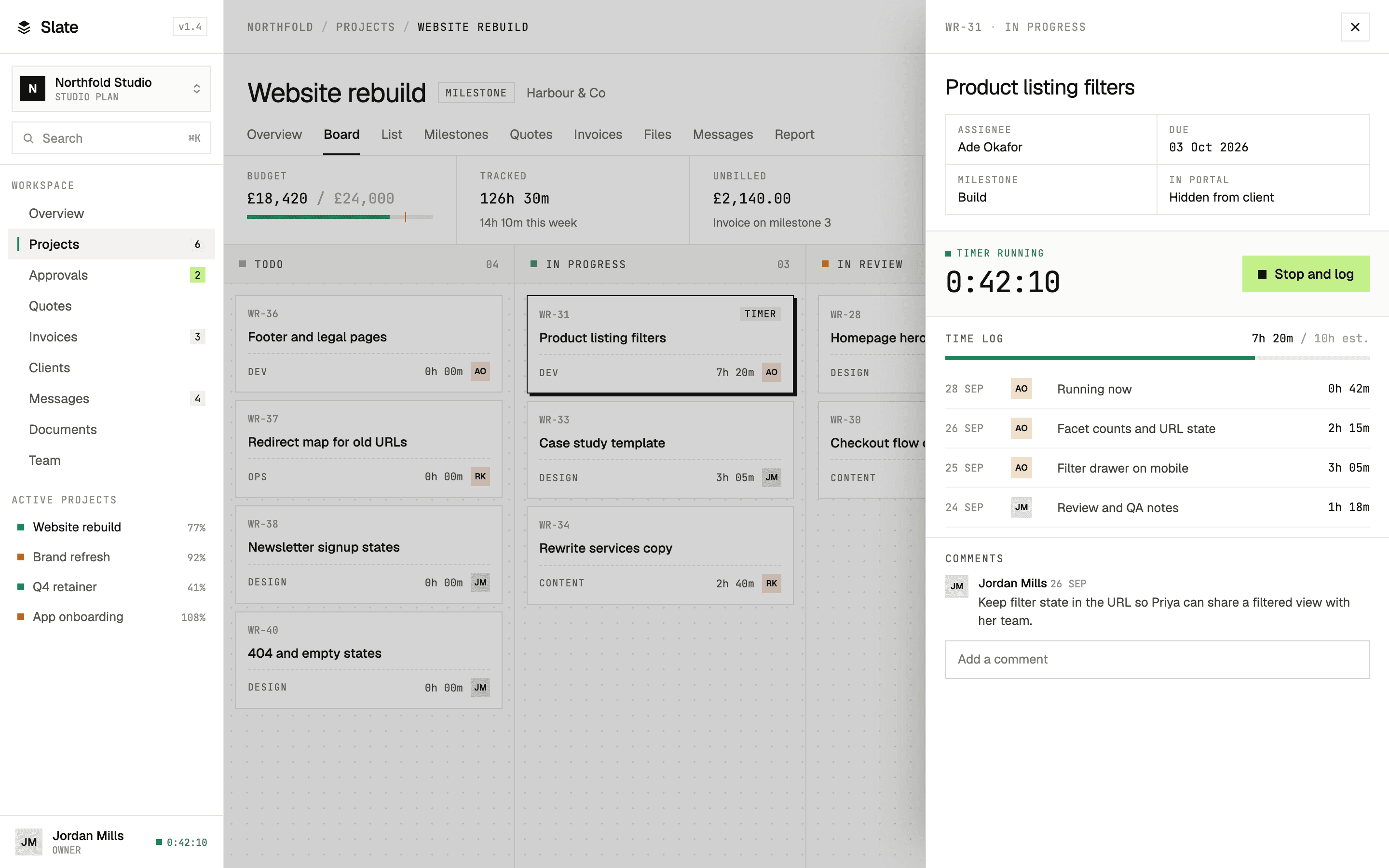
Start a timer from the card you're working on, or add the hours afterwards. Every entry knows its task, its project and who did it.
Counted against the budget
Hours become money at the rate you set. The bar turns amber at 85% and red past 100%, while there's still time to do something about it.
Billed on the invoice
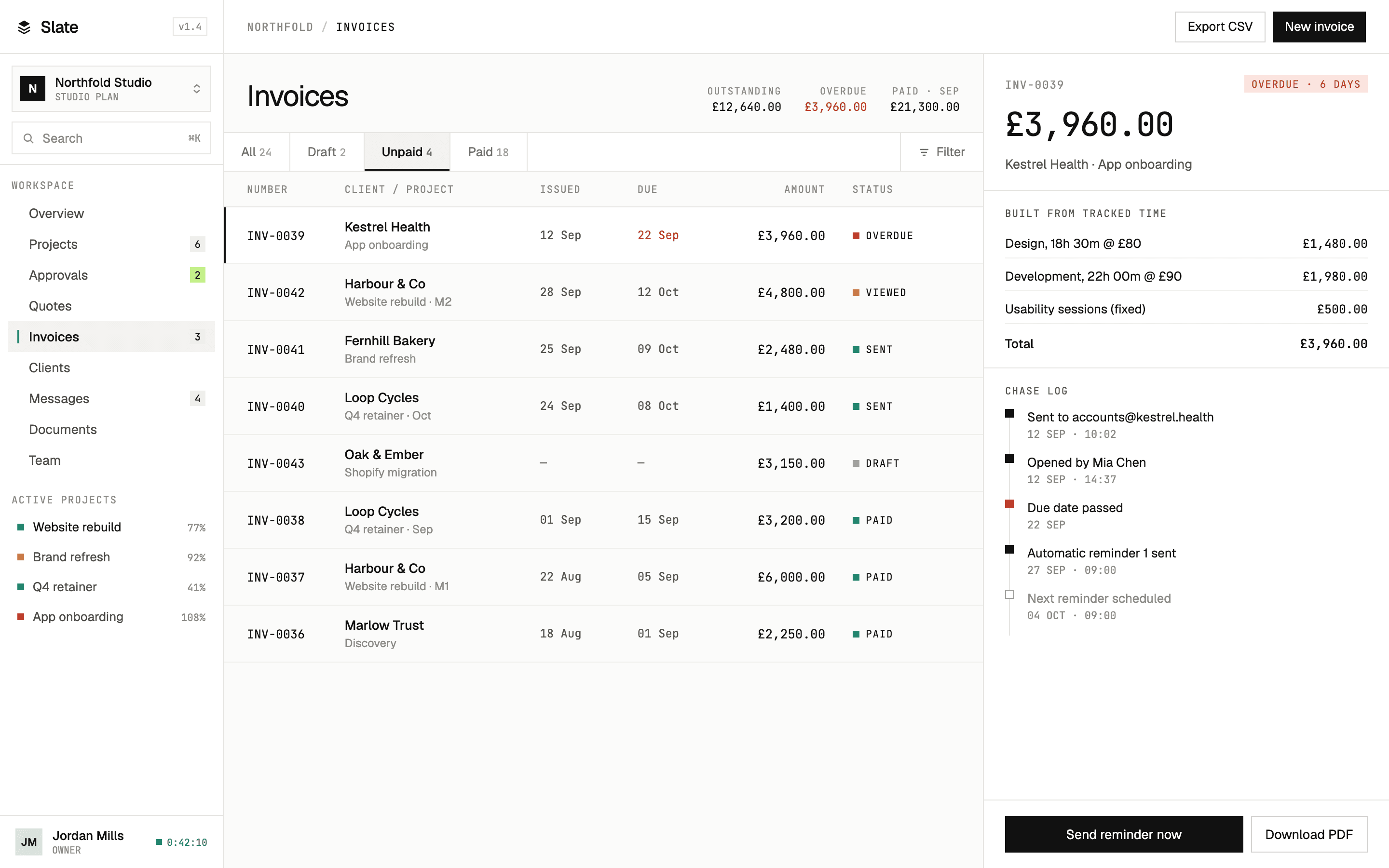
Pick the unbilled time and the invoice writes its own line items. What the client pays is what the team logged.
No retyping, no spreadsheet in between
The same entries feed the project report, the budget and the invoice. When a client asks what they're paying for, the answer is already itemised.
Invoicing and payments →