
A portal your client will actually open
Not a guest seat in your project tool. Their own signed-in surface, with their projects, their approvals, their invoices and their files, and nothing else.
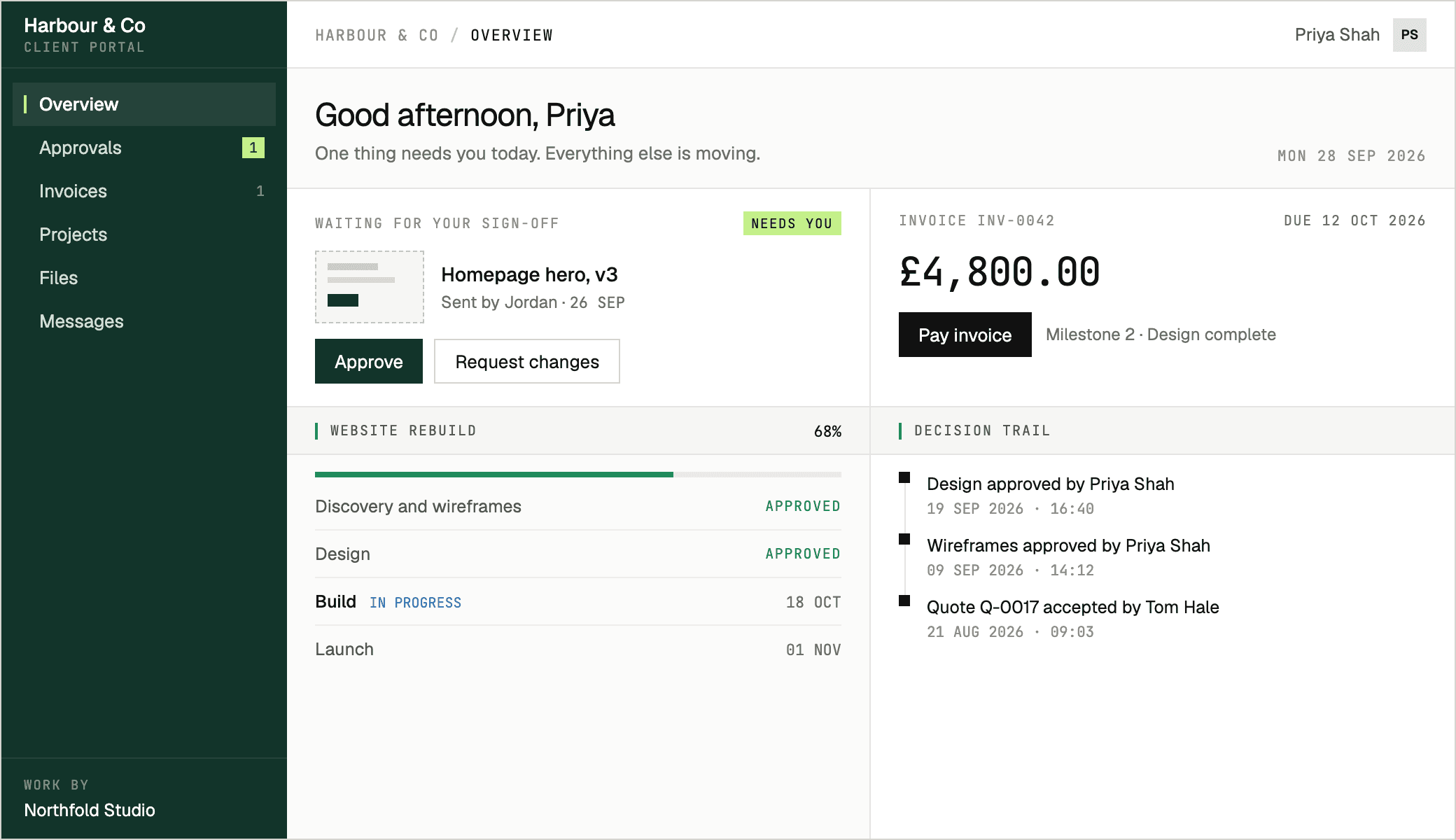
Four things your client comes here to do
- 01
See where things stand
Live project status, milestones, and what's waiting on them. No more "just checking in" emails from either side.
- 02
Approve work
Sign-off with a date and a name on it, so "I never agreed to that" stops being a conversation.
- 03
Pay an invoice
On the page the invoice is on, without a new login or a bank transfer.
- 04
Find the file
Everything shared with them, in one place, still there in six months.
Their work, and nothing else
A client sees their own work and nothing else, over HTTP and over the live connection alike. That isn't a permission you configure; it's how the queries are written.
WHERE organisation_id = … AND client_id = …How a client gets in
No accounts to set up on their side, and no seat to pay for on yours.
- 01
Add the client
Create the client and the people you work with there, then attach them to a project.
- 02
Send the invite
Each contact gets an email with a link that works once and belongs to them.
- 03
They sign in
They set a password and land on their projects. Two-factor is there if they want it.